Read anything.
Keep every word.
VocabKit is a Chrome extension for reading in another language. Select a word on any page to see what it means in that sentence, then save it to your vocabulary.
Free plan with 30 translations a day. 40 languages.

Meaning in context
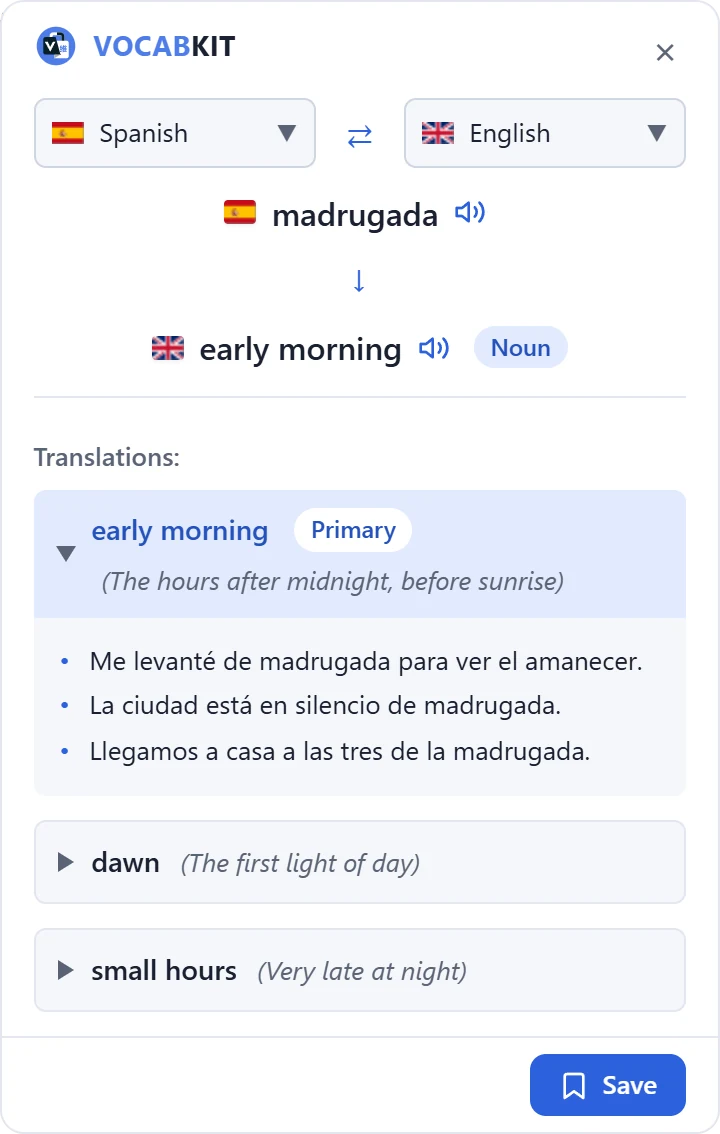
A dictionary lists every meaning. VocabKit shows the one that fits the sentence you are reading, with its part of speech and example sentences. Other meanings are one click away.
Press the speaker to hear the word and its translation.
YouTube captions you can select
Turn on captions and select a word in them, the same way you would on a page. The translation opens next to the player.

Text inside images
Press Alt+O and drag over an image, a screenshot or a subtitle burned into a video. VocabKit reads the text, lets you correct it, then translates it.
10 image translations a day on Free, 100 on Premium.

Keep every word
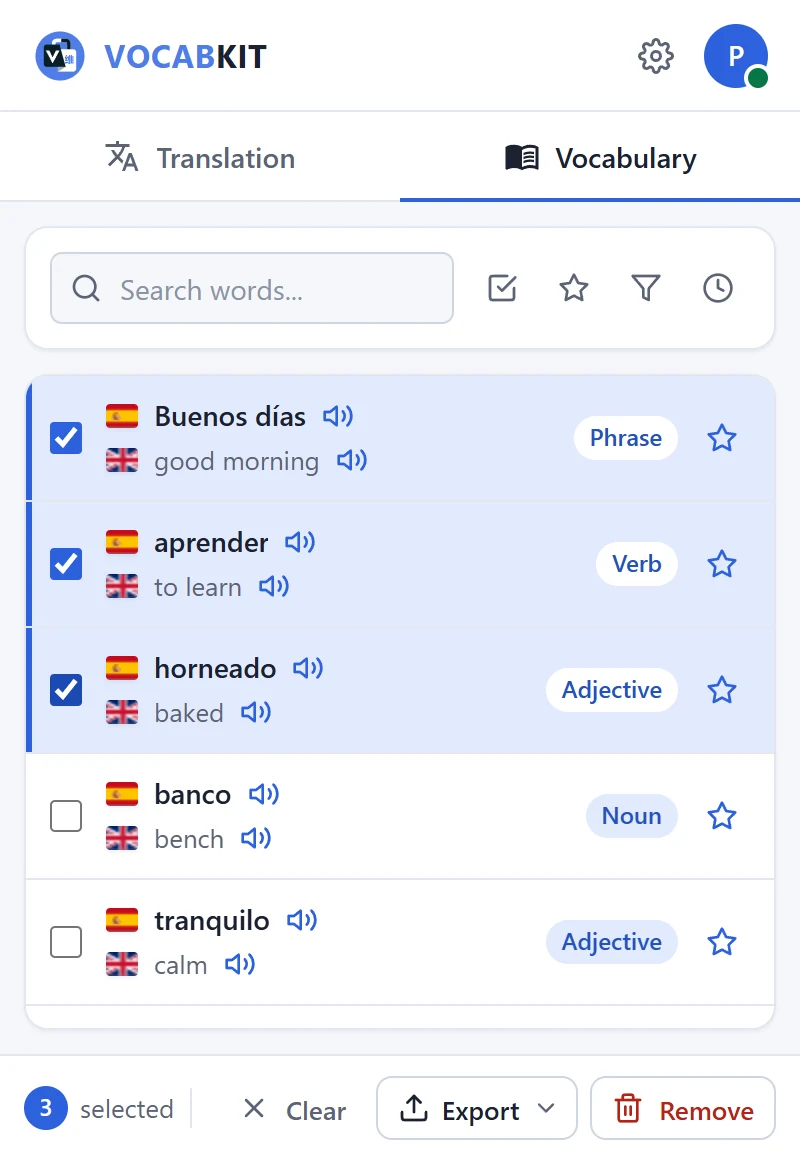
Press Save and the word goes into your vocabulary with its translation and part of speech. Open the extension to search your words, star the ones that matter and listen to them again.
Review them in Anki
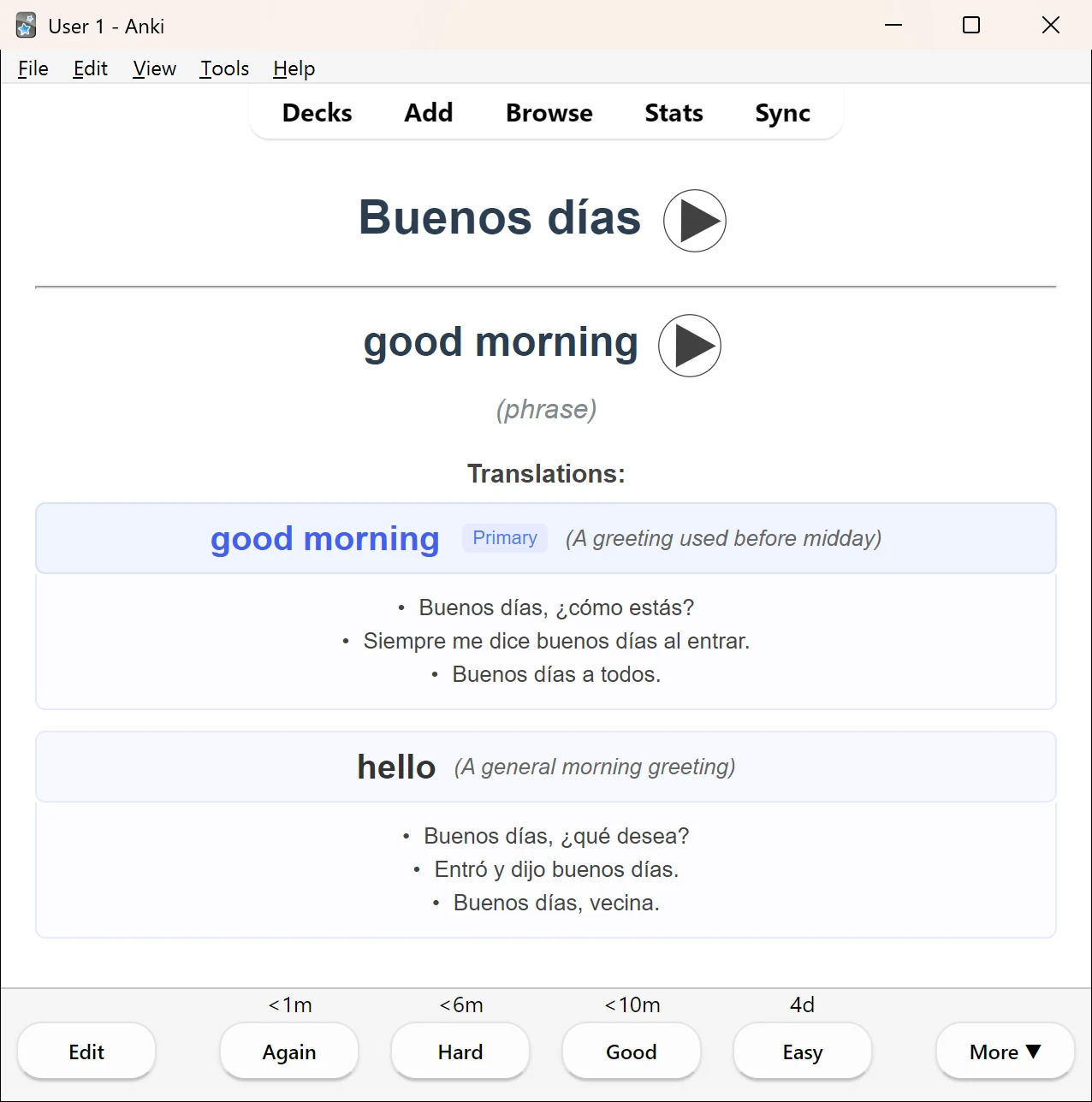
On Premium, export your words as an Anki deck and open it in Anki. Each card has the word and its translation with audio, the part of speech and example sentences, ready for spaced repetition.
Export everything, only your starred words, or the words you pick.
40 languages
Translate between any two of them. Pick your pair once, and swap it in the panel when a page is in a different language.
Supported languages- Arabic
- Bengali
- Bulgarian
- Catalan
- Chinese
- Croatian
- Czech
- Danish
- Dutch
- English
- Finnish
- French
- German
- Greek
- Hebrew
- Hindi
- Hungarian
- Indonesian
- Italian
- Japanese
- Korean
- Lithuanian
- Malay
- Norwegian
- Persian
- Polish
- Portuguese
- Romanian
- Russian
- Serbian
- Slovak
- Spanish
- Swahili
- Swedish
- Tagalog
- Thai
- Turkish
- Ukrainian
- Urdu
- Vietnamese
Free to start
The Free plan covers everyday reading. Premium removes the daily limit and adds Anki export.
Free
€0
- 30 translations a day
- One example sentence per word
- Pronunciation
- Save words to your vocabulary
- 10 image translations a day
Premium
€6.99 a month
- Unlimited translations
- All example sentences and other meanings
- Export to Anki (.apkg)
- 100 image translations a day
- 7-day free trial, cancel any time
Questions
More in the FAQ, or write to support@vocabkit.app.
Is VocabKit free?
Do I need an account?
What happens to the text I translate?
Can I cancel the trial?
Try it on the next page you read.
Free to install. No card needed for the Free plan.