Keep the words you look up
Press Save in the panel and the word goes into your vocabulary. Review it in the extension, or take it to Anki.
Your list, in the extension
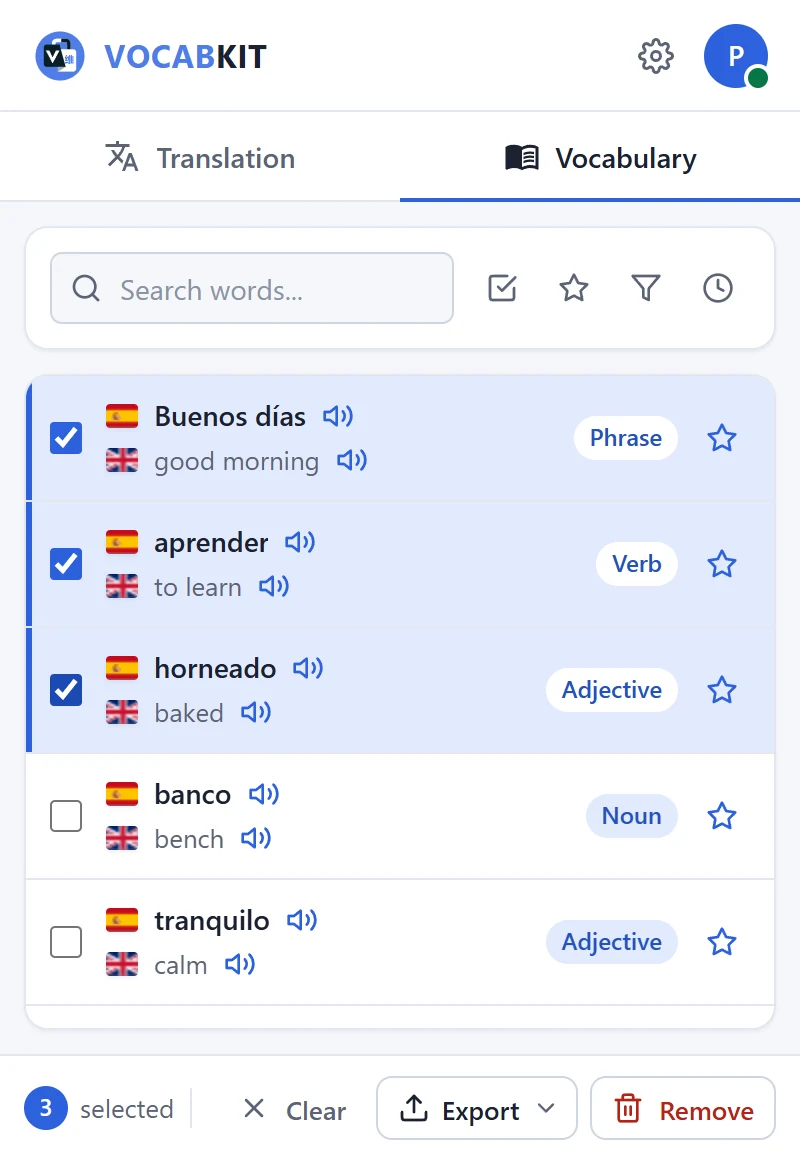
Each word keeps its translation, part of speech, examples and other meanings, the languages you used and the date you saved it.
Search the list, play a word again, or open it to see everything the panel showed.
Anki decks on Premium
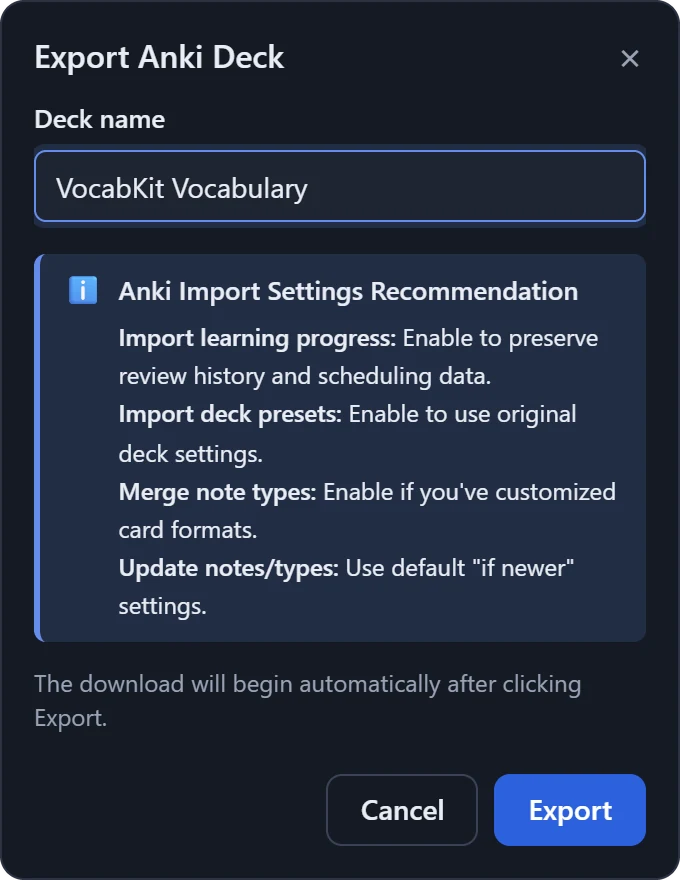
Name the deck and press Export. VocabKit downloads an .apkg file that Anki imports with File, Import.
Each card has the word and its translation with audio, the part of speech, the examples and the other meanings. Premium is €6.99 a month, with a 7-day free trial.
Keeping it tidy
- Star
- Star the words that matter and show only those.
- Filter by part of speech
- Look at only the verbs, or only the nouns.
- Sort
- By date saved, alphabetically, or by how often you looked a word up.
- Notes
- Add a note to any word: the sentence you found it in, a memory aid, a related word.
- Select several
- Tick words to delete them or export just those.
- Export
- CSV on every plan. Anki (.apkg) on Premium: everything, starred words, or a selection.
Looking for a routine to go with it? Read a simple vocabulary routine.
Questions
How do I save a word?
Translate it, then press Save in the panel. The word goes into your vocabulary with its translation, part of speech and examples.
Where do I find my saved words?
Click the VocabKit icon in the Chrome toolbar, or press Alt+L, and open the Vocabulary tab.
Is the sentence I was reading saved too?
Not automatically. VocabKit saves the example sentences from the panel. If you want the original sentence, paste it into the note for that word.
Can I export my words?
Yes. Every plan can export a CSV file for a spreadsheet or another flashcard app. Premium can also export an Anki deck (.apkg) with audio.
Are my words on my other computers?
Yes. Your vocabulary is saved to your account, so it is there when you sign in to VocabKit in Chrome on another computer.
Can I add a word by hand?
Type it into the box at the top of the extension to translate it, then save it like any other word.
Try it on the next page you read.
Free to install. No card needed for the Free plan.